What is focus stacking?
Focus stacking merges photos taken at different focus distances into one picture that is sharp from front to back. Each frame gets one slice of the subject sharp; the software lines the frames up and keeps the sharpest detail from each.

A real bracket: 18 frames of a tiny mushroom with an insect on its stem. Cyan marks what each frame got sharp.
Why can't one photo be sharp from front to back?
A lens focuses on one plane. Close up, the zone around it that still looks sharp, the depth of field, shrinks to a fraction of a millimetre. Here the log in front, the stem, the insect and the cap all sit at different distances, so no single frame holds them all.
 Frame 10 of 18
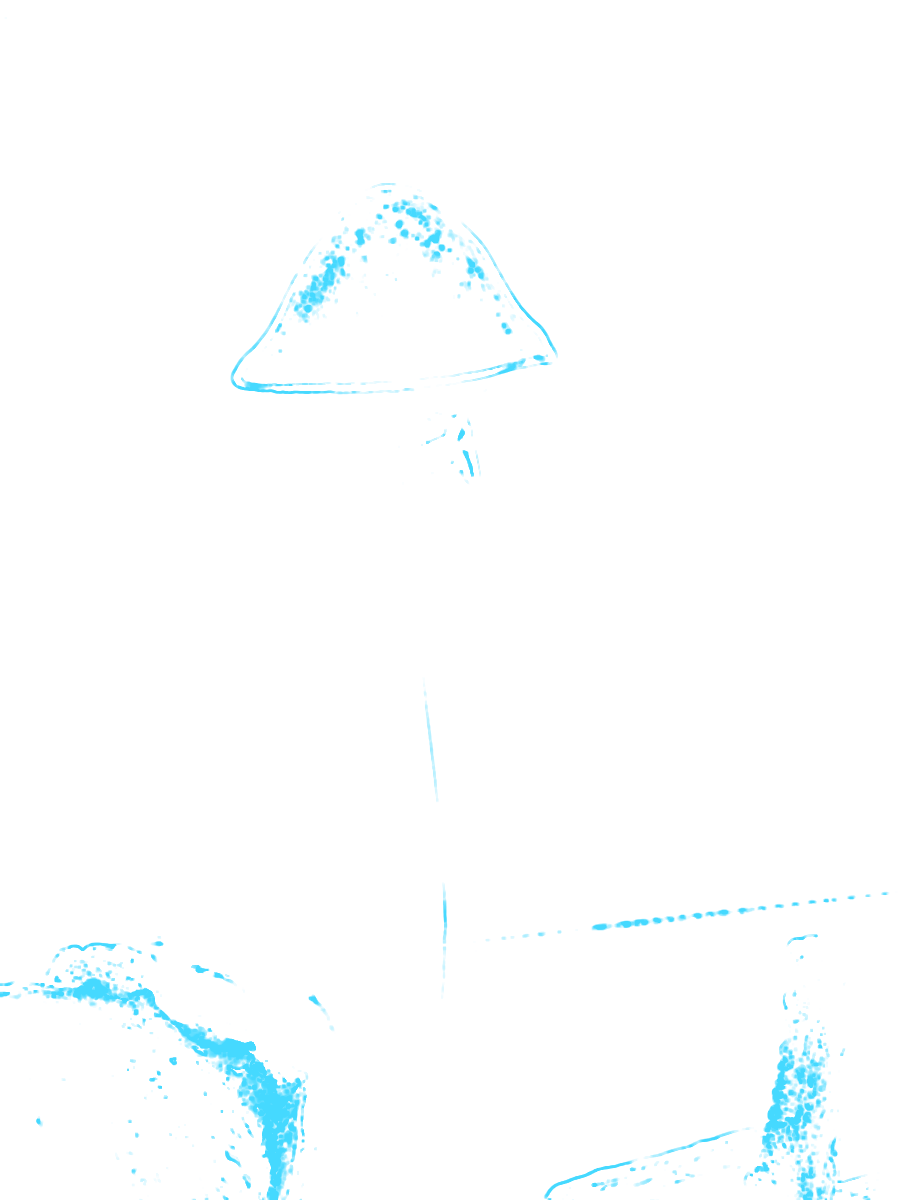
Focus step 10 of 18
Why not just stop down to f/22?
Closing the aperture deepens the sharp zone, but diffraction spreads every point of light into a blur spot that grows with the f-number. In macro it hits twice as hard, because the effective aperture grows with magnification. Stacking lets you shoot at the lens's sharpest aperture and get the depth from more frames.
Depth of field
0.32mm
Sharp zone against a 5 mm deep subject.
Diffraction blur
4.2px
Blur spot over the pixels of the 20 MP Micro Four Thirds sensor that shot this bracket.
At 100%
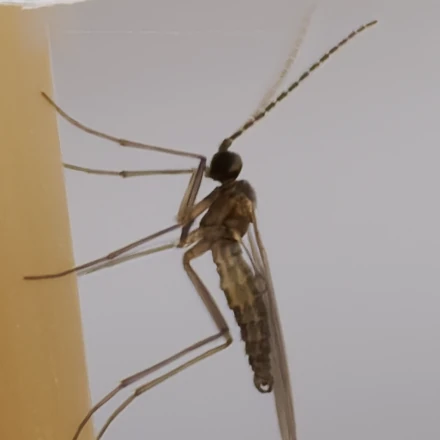
Simulated: the blur spot applied to a 100% crop.
Depth of field ≈ 2·N·c·(1+m)/m², with c = 0.01 mm (about 3 pixels). Blur spot = Airy disc diameter 2.44·λ·N·(1+m), λ = 0.55 µm, pixels 3.4 µm (OM System OM-1 Mark II). N is the f-number on the lens, m the magnification.
How many photos does a focus stack need?
It depends on three things: magnification, aperture and subject depth. Each frame covers one depth of field, and neighbouring frames should overlap so no slice falls between them. Go from 1:1 to 2× and the frame count more than doubles.
What is focus breathing?
Most lenses change their field of view slightly as they focus, so the picture grows or shrinks from frame to frame. In this bracket the first frame is 0.9% larger than the last, and the subject moves about 80 pixels in the frame along the way. Stacked as shot, every edge would smear.

 Frame 1 · as shot
How are the frames of a focus stack aligned?
For every frame, ReeStack measures the shift, rotation and scale that put it exactly on top of one reference frame, the anchor, and moves it there on the GPU. That fixes breathing and a camera that creeps on its tripod. It doesn't correct perspective.
As shot
 Aligned

The fit is affine: six numbers per frame, solved with the ECC method from a small copy of the image up to finer ones. Precision sets how far it refines: Coarse (quarter resolution, the default), Balanced (half), Fine (full). Off stacks frames as shot, for rails and microscopes where nothing moves.
Why don't long brackets drift out of alignment?
Alignment works by matching detail, and frames far apart in a bracket are sharp in different places. They share little to match on. So instead of aligning every frame to one reference, ReeStack moves its reference along the bracket every 8 frames: each frame is matched against one that looks like it.
A 40-frame bracket, aligned by ReeStack
A frame whose solve jumps implausibly is left out of the chain, so one bad frame can't push its error into the frames after it.
Why do focus stacks come out smaller than the frames?
Breathing and creep mean the frames don't cover exactly the same area, and a stack can only keep the area every frame covers. When a bracket breathes 1% or more from end to end, ReeStack anchors on its most zoomed-in end, so no frame's detail is shrunk away. This one breathes 0.9%, so ReeStack kept the middle frame.
Here both anchors keep 19.4 MP: most of the trim comes from the subject moving about 80 pixels, which no choice of anchor wins back. On a bracket that breathes more, the zoomed-in end keeps visibly more.
Does aligning the frames soften them?
It can. A moved frame lands between pixels, so every pixel has to be recalculated from its neighbours. The simple way, bilinear, averages them and softens every frame a little. ReeStack resamples with a bicubic (Catmull-Rom) filter, which keeps much more of the fine detail.
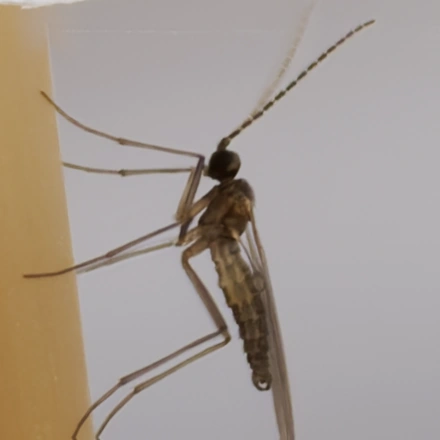 Bilinear
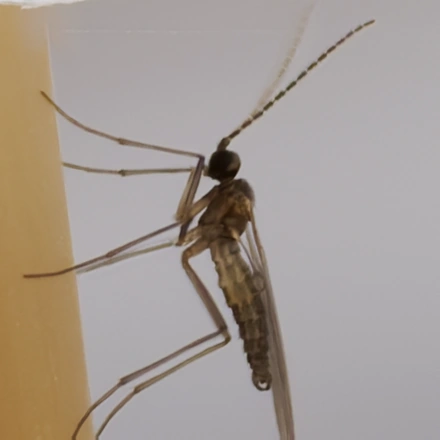 Bicubic · ReeStack
Same crop, 300%
Fine detail kept after one move, measured as high-frequency energy against the original.
Try it on your own brackets.
ReeStack finds your brackets, aligns and stacks them, and lets you paint any leftover flaw away from the source frames.